
GPS Tracking
See Where the Day’s Work Stands
View technician locations on a live map and review route history. Give your office the context to coordinate the team and respond when an urgent job comes in.


Trusted by customers around the world
Trusted By



As Featured On



Live Map View
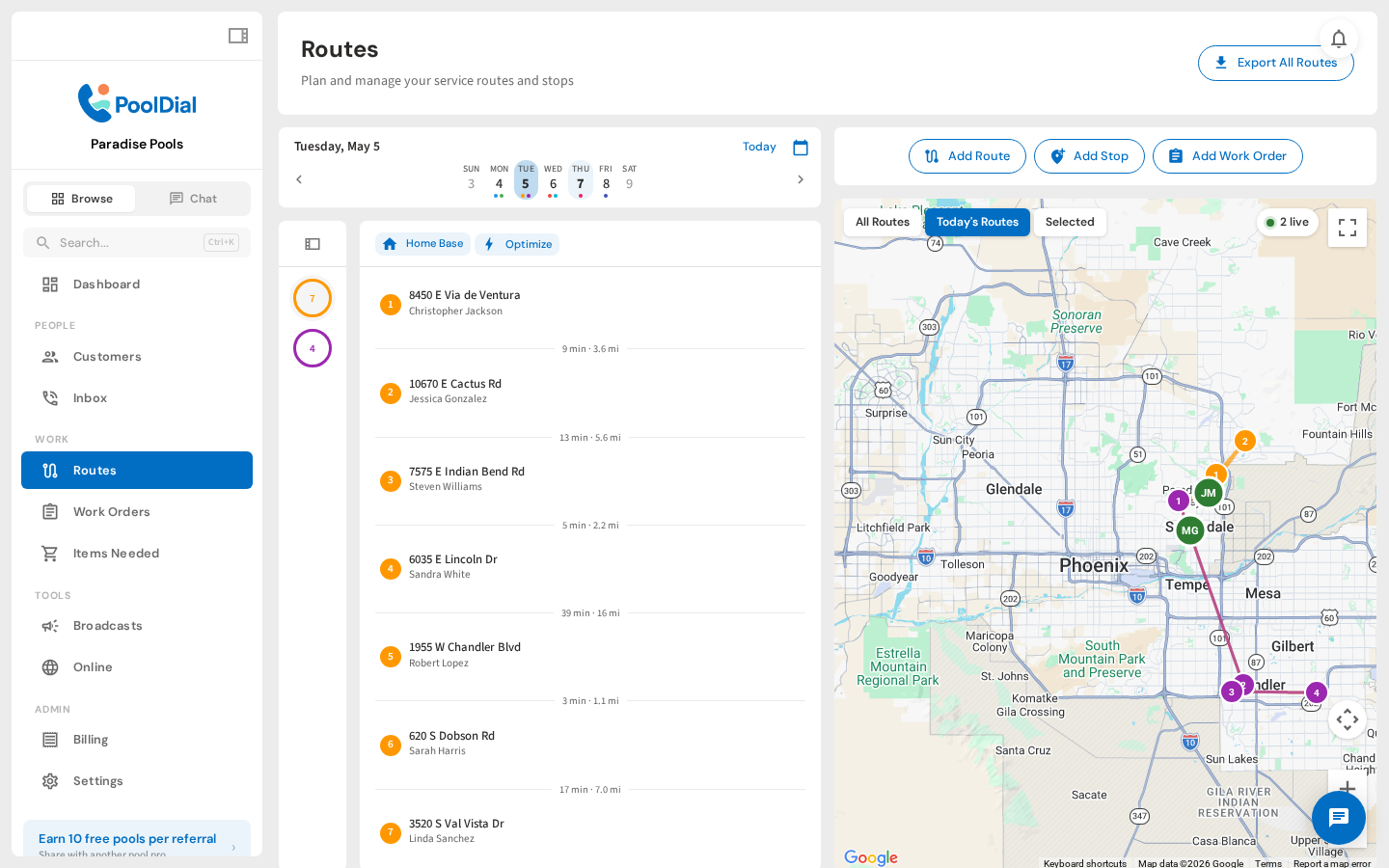
Open the Routes page and every technician shows up on the map in real time. Color-coded markers show who's on which route, who's running behind, and who just finished. No check-ins, no manual updates. Just open the page and see your whole team.
Drill Into Any Route
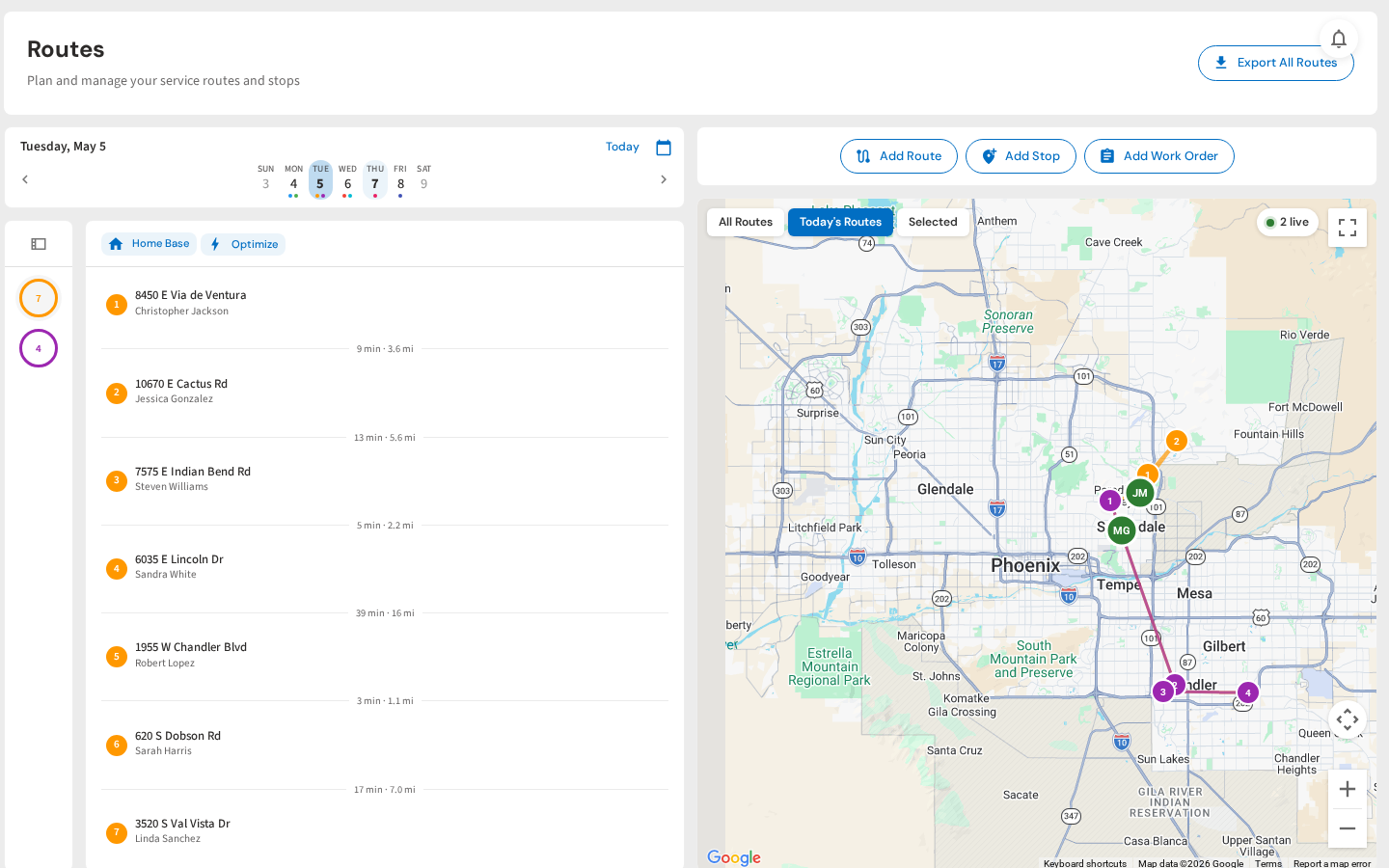
Click a route to see every stop pinned on the map. The left panel shows the stop list with addresses, status, and order. You can see exactly where a tech is relative to their next stop, and rearrange the order if a customer calls with an emergency.
Pull Up Any Customer
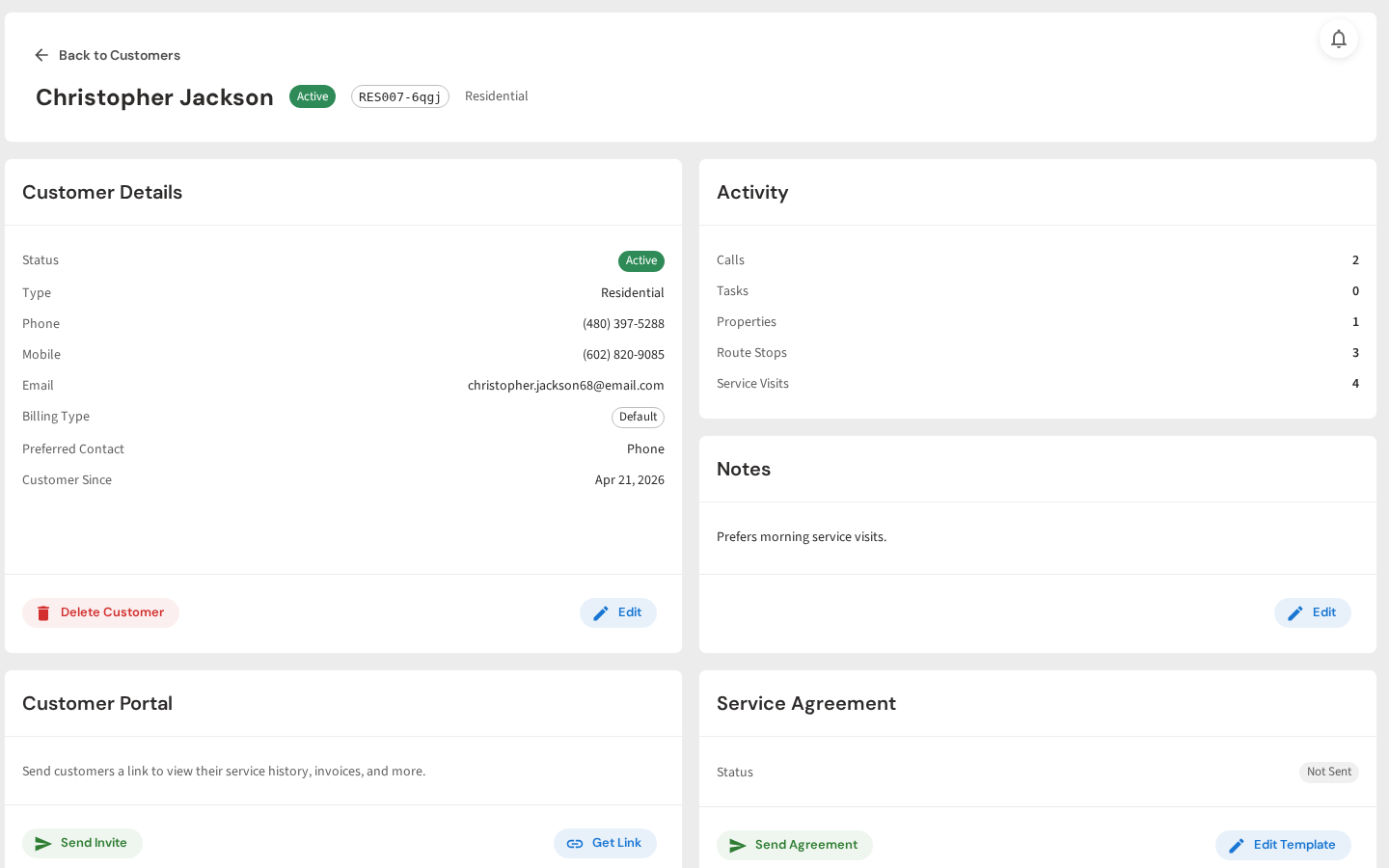
Tap a stop on the map and jump straight to their customer profile. Phone number, gate code, billing type, service notes. Everything your office or field team needs without switching apps or digging through spreadsheets.
Full Service History
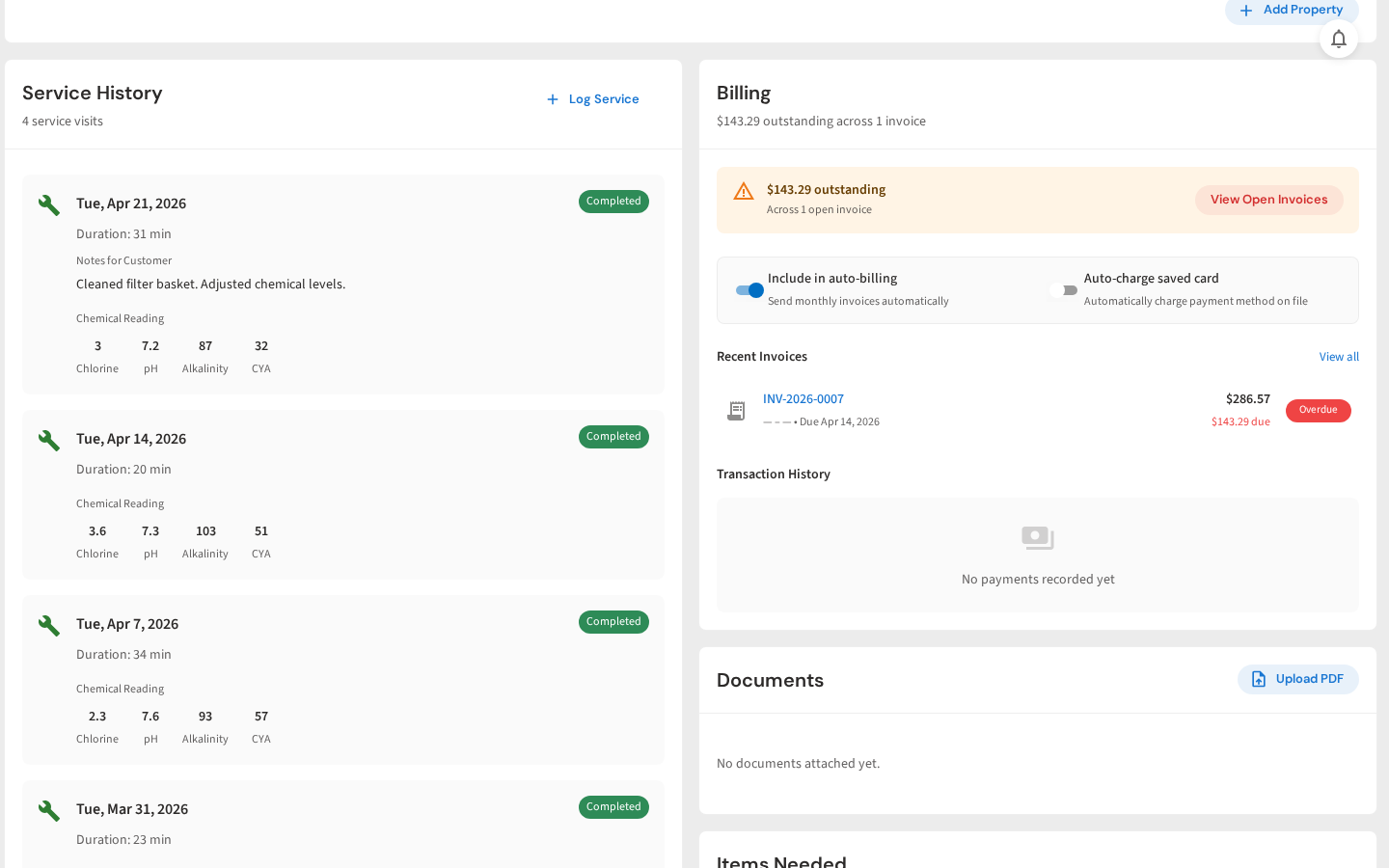
Scroll down on any customer and you've got their complete service log. Every visit, chemical reading, duration, and tech note. Plus billing status, open invoices, and documents. When a homeowner calls asking "what did you do last week?", the answer is one click away.
Watch the Walkthrough
A quick look at GPS tracking, route stops, and service history
From your first customer to your first crew
Keep Your Team’s Day in View
Start a free trial and explore your workflow. Book a demo if you’d like to walk through it with us.