
Chemical Tracking
A Chemistry Record for Every Pool
Log readings and chemicals at each visit, review the history, and calculate doses from the pool’s volume. Keep the numbers with the customer instead of in a separate spreadsheet.


Trusted by customers around the world
Trusted By


As Featured On



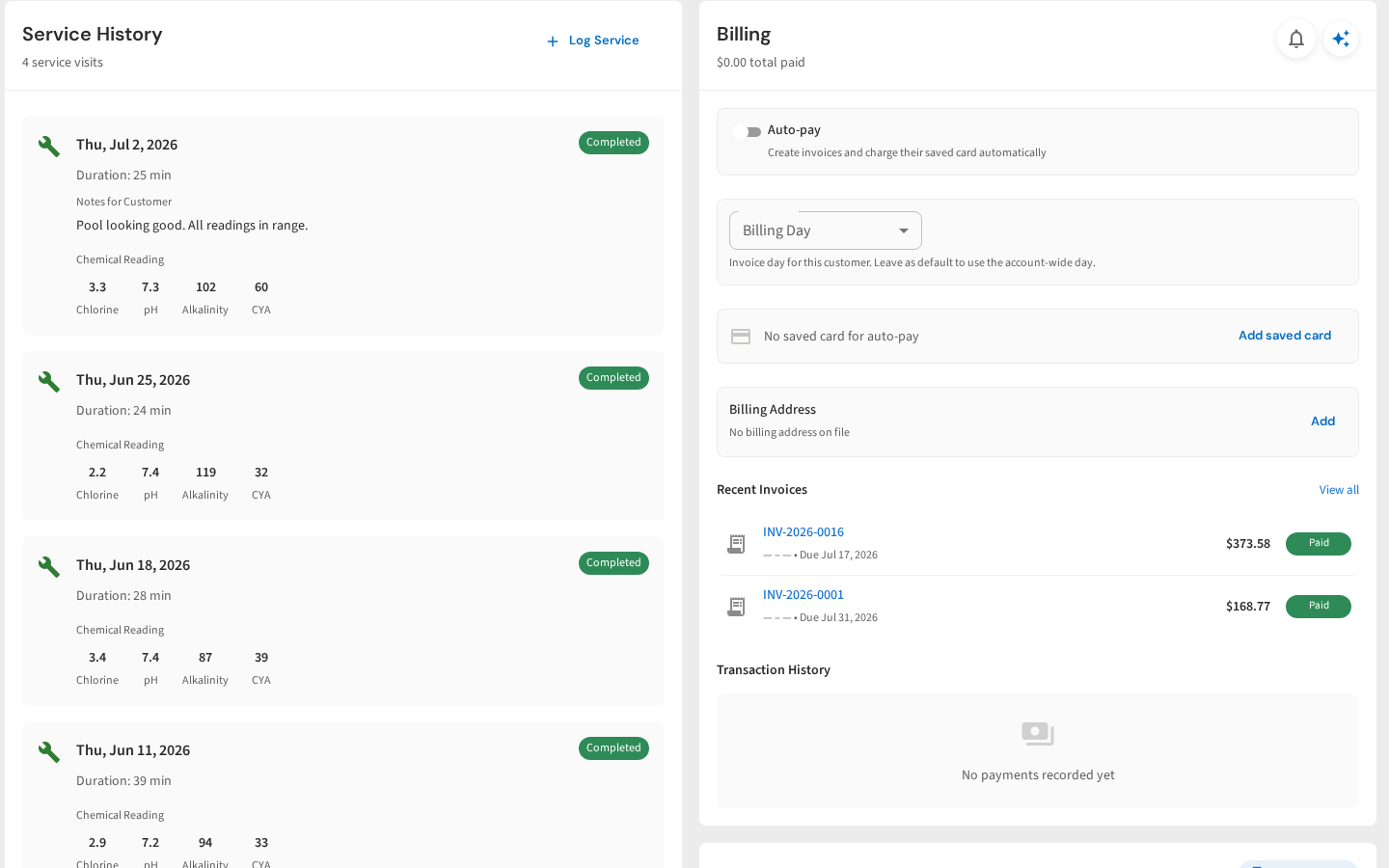
Every Reading in One History
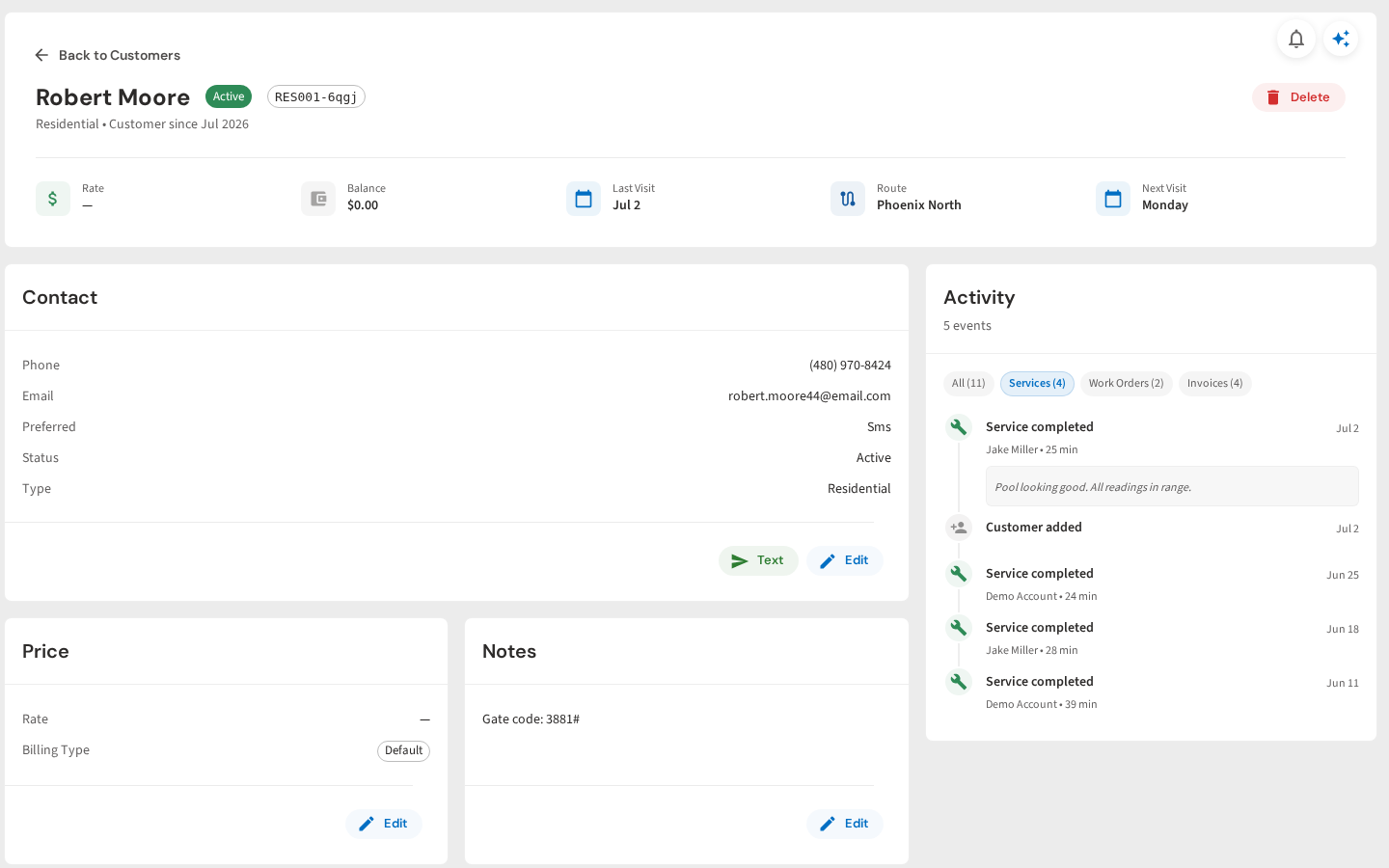
Open a customer profile to see completed visits and the chemical readings recorded at each service. The history stays attached to the pool, not a clipboard.
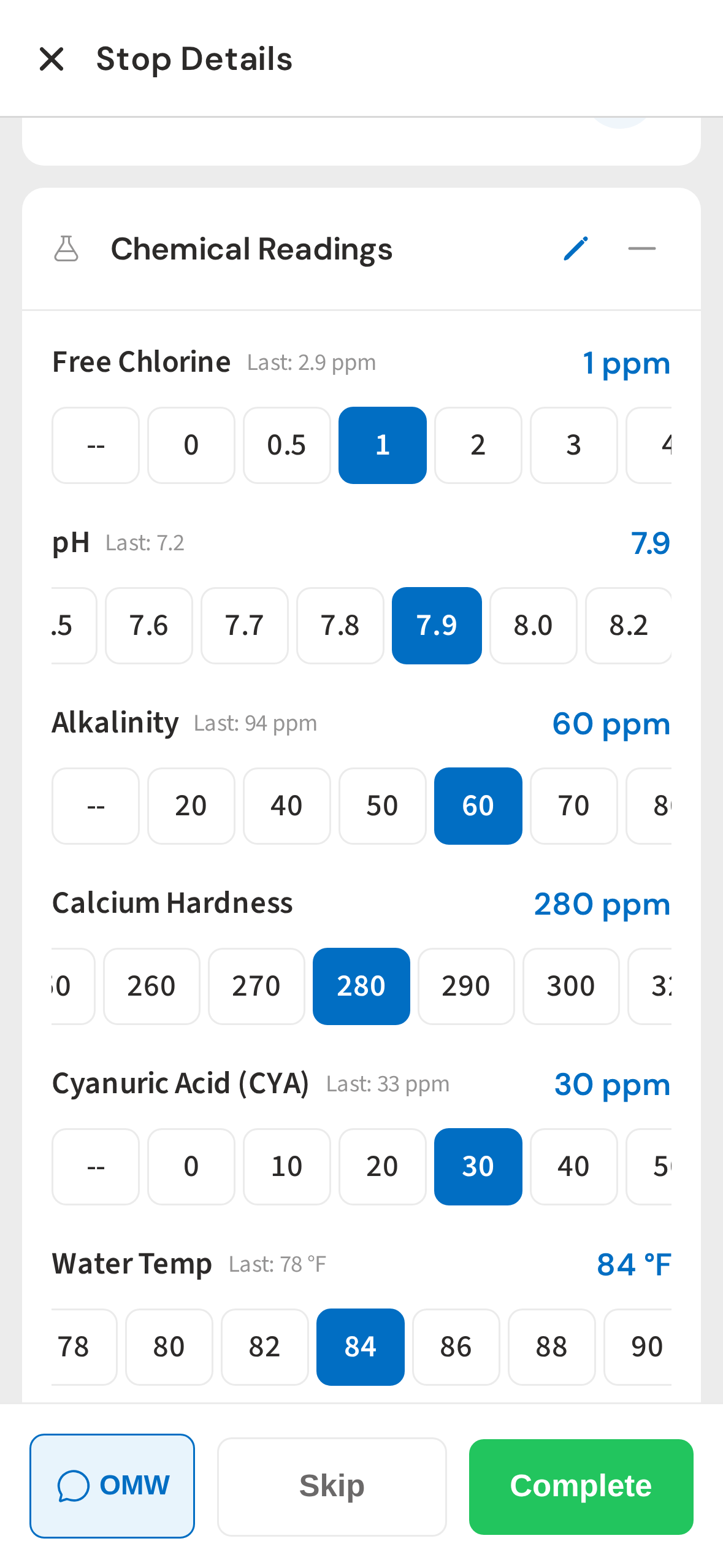
Tap-to-Enter Readings
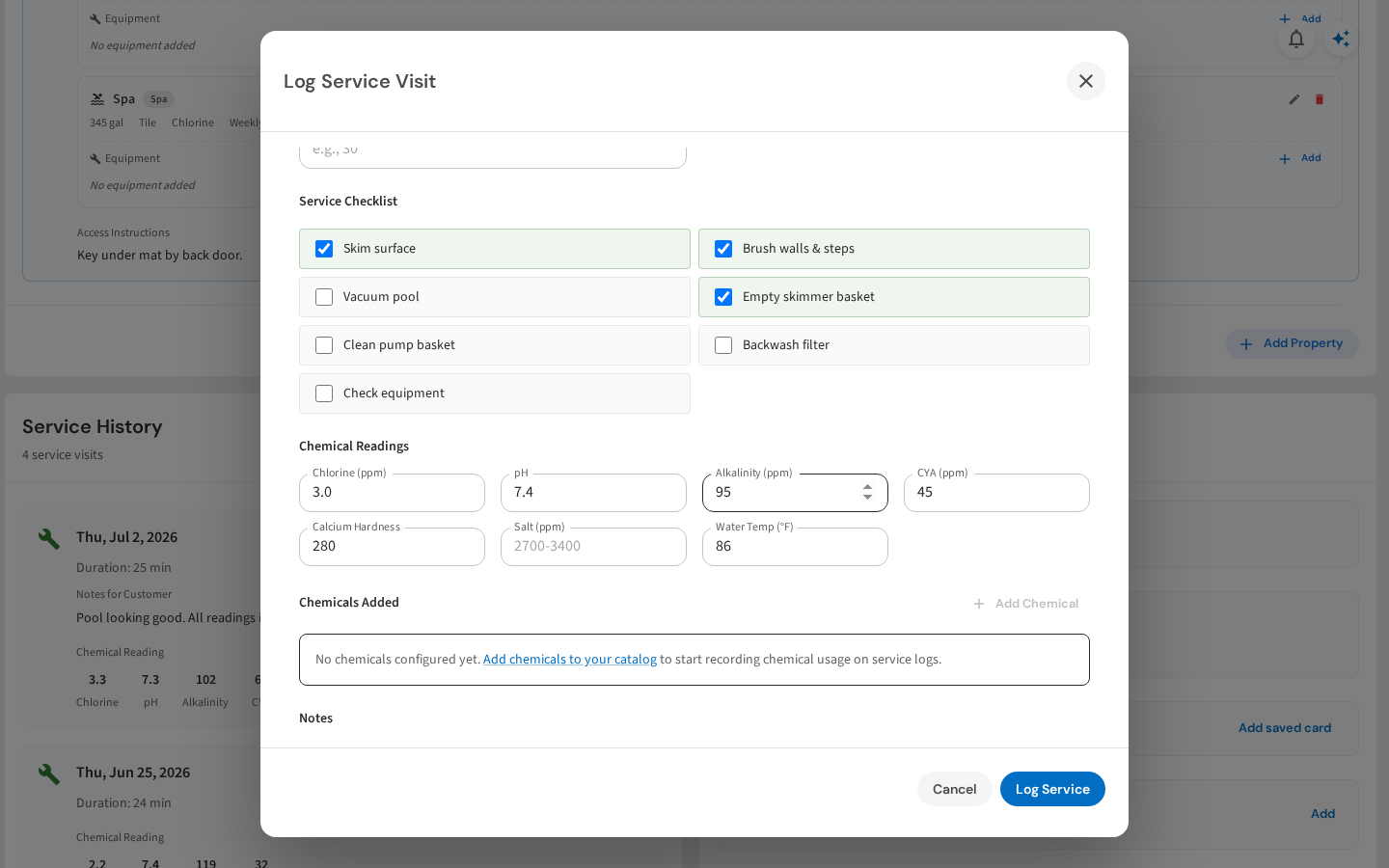
Technicians log chlorine, pH, alkalinity, calcium hardness, CYA, and water temperature with large controls designed for fast field entry.
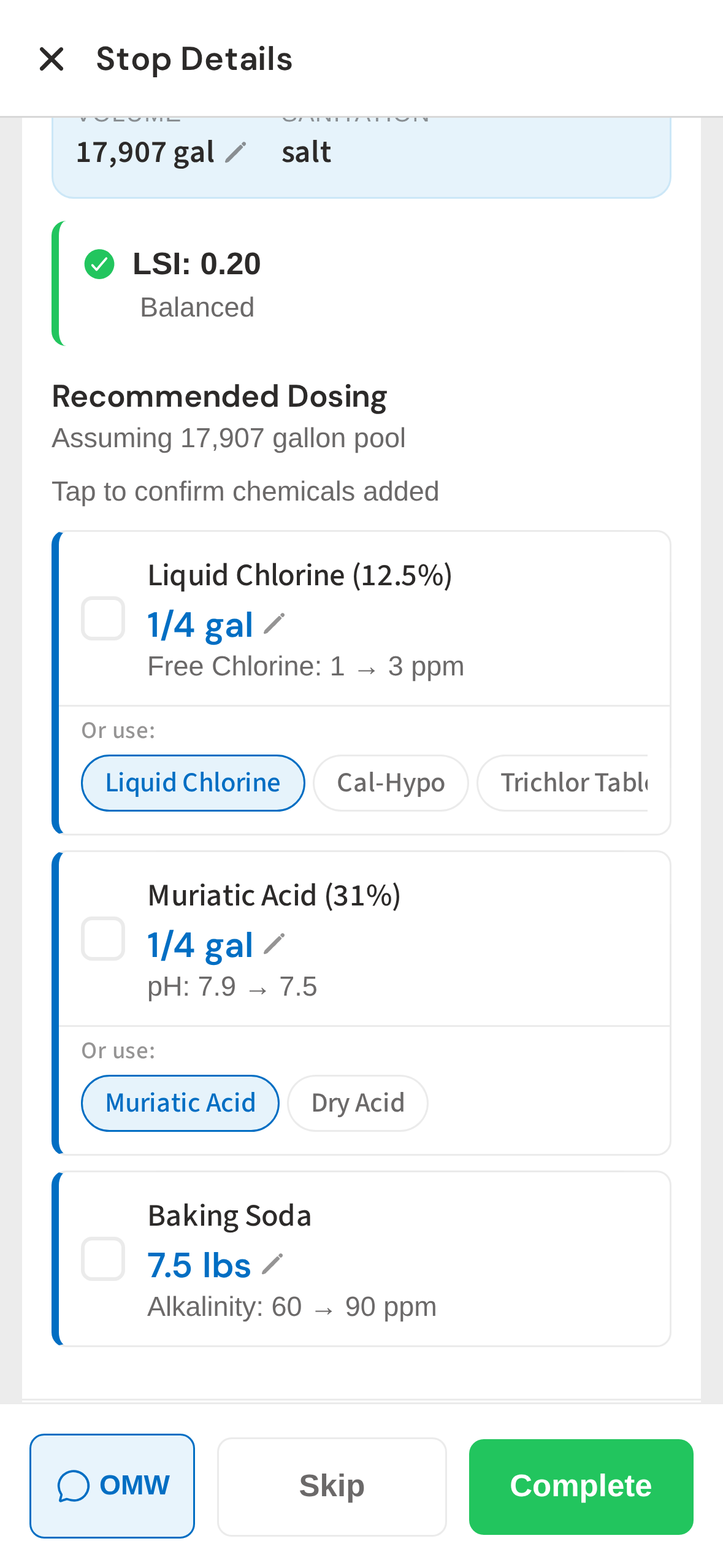
Instant Dosing Recommendations
PoolDial calculates exact doses from the current readings and pool volume, then lets the technician confirm what was added.
Service History Updates Instantly
Completed visits appear on the customer timeline as soon as the technician finishes, giving the office an up-to-date record.
Log Service from the Office
Office staff can record the checklist, readings, chemicals, and notes from the same customer profile when needed.
See It In Action
See readings, dosing recommendations, and service history work together.
From your first customer to your first crew
Build a Useful History at Every Pool
Start a free trial and explore your workflow. Book a demo if you’d like to walk through it with us.