
Developer API
A Pool Service API Built to Connect
Connect your PoolDial records to reporting tools, custom automations, and the systems your business uses. Build with a secure, versioned REST API and scoped access.


Trusted by customers around the world
Trusted By



As Featured On



Your Pool Business, Connected
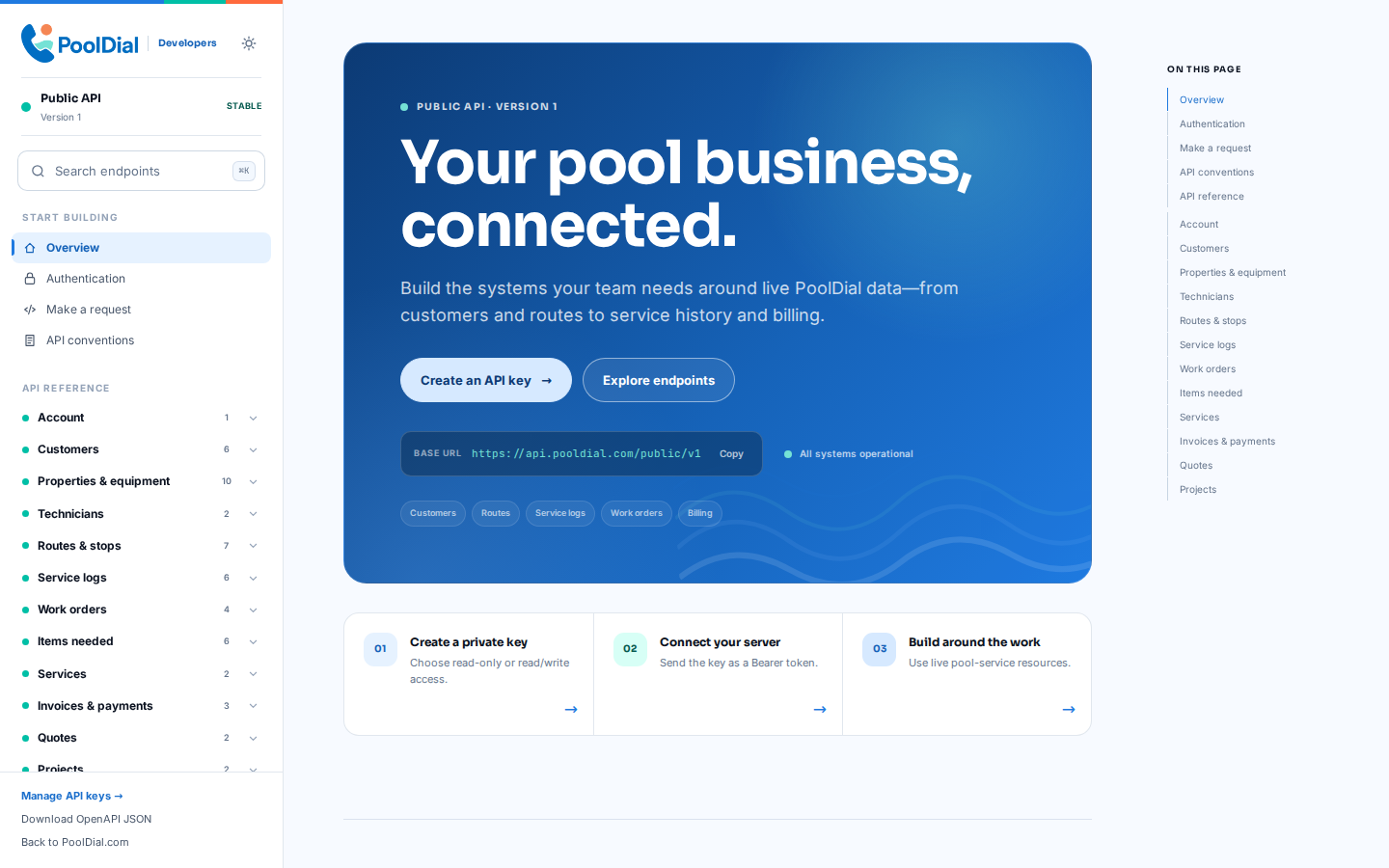
Start with a branded overview of the API, authentication model, and available resources. Your developers can understand the contract before writing their first request.
Manage Every API Key
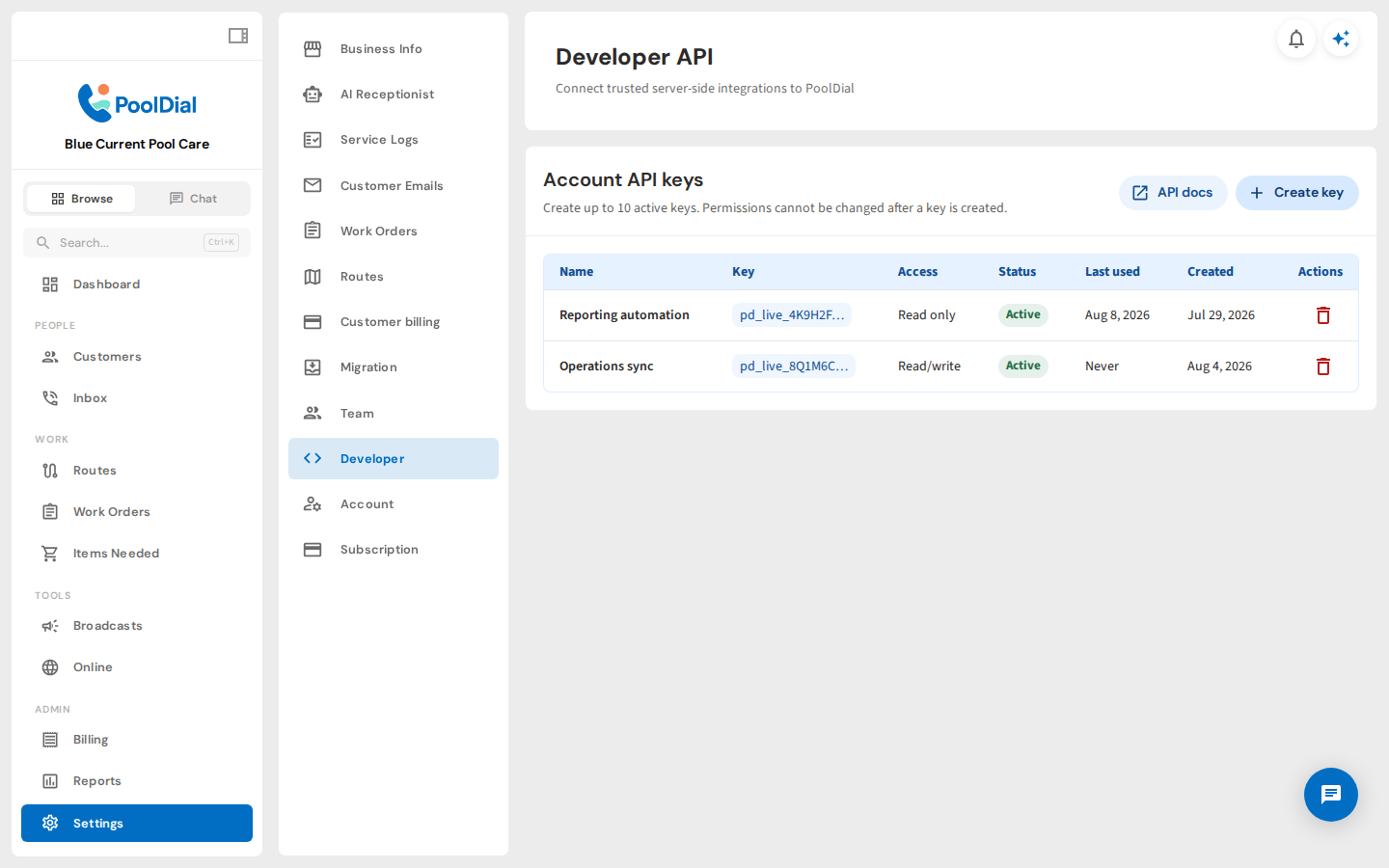
See each integration's access level, status, recent activity, and creation date in one place. Revoke a key immediately when a connection is no longer needed.
Choose Scoped Access
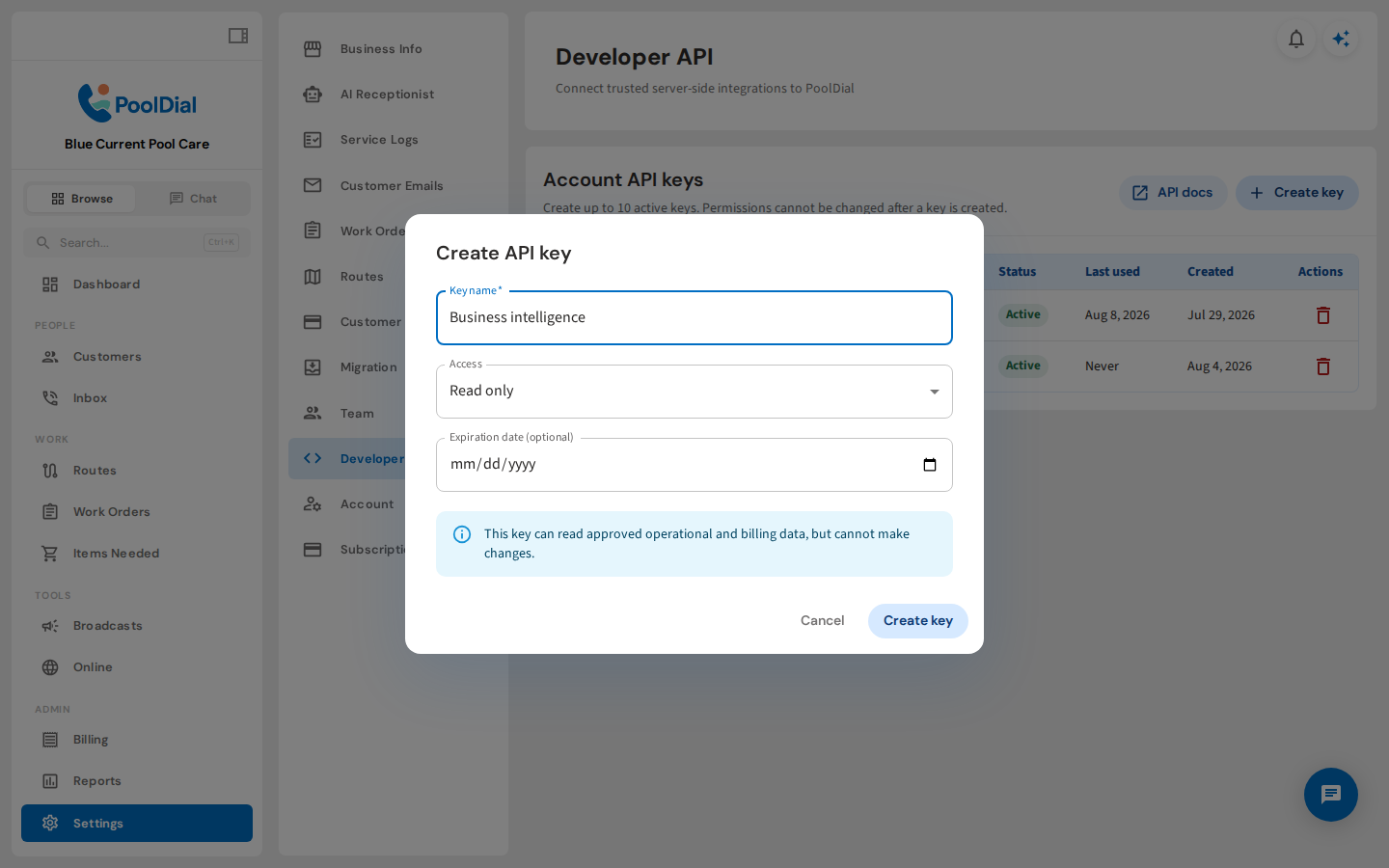
Give every connection only the access it needs. Read-only keys are a natural fit for reporting, exports, and business intelligence workflows.
Add Operational Guardrails
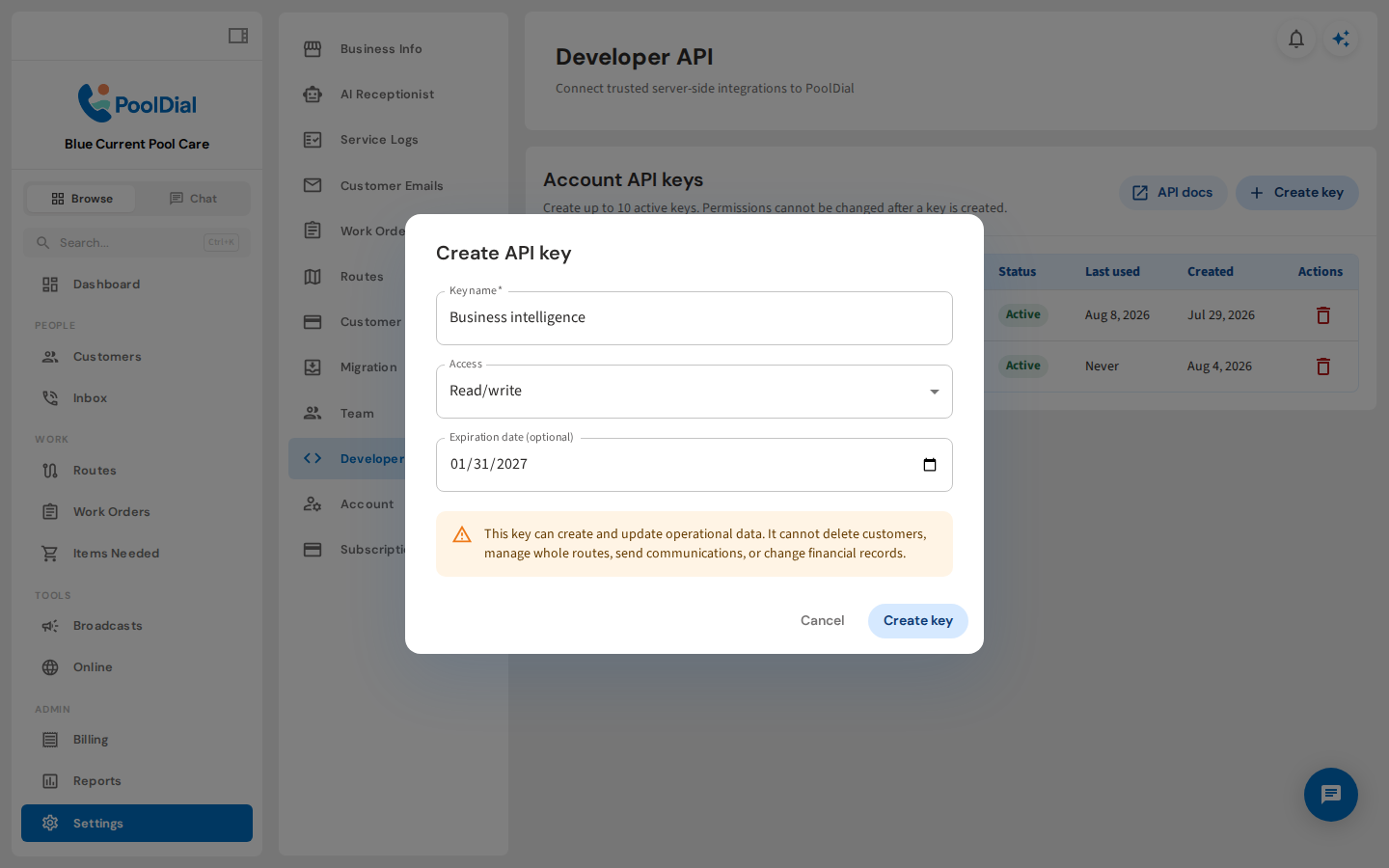
For trusted operational workflows, choose read and write access and add an expiration date. Every key remains revocable as your integration needs change.
Authenticate Securely
Clear bearer-token guidance helps your developers reach a successful first request quickly while keeping every integration server-side and secure.
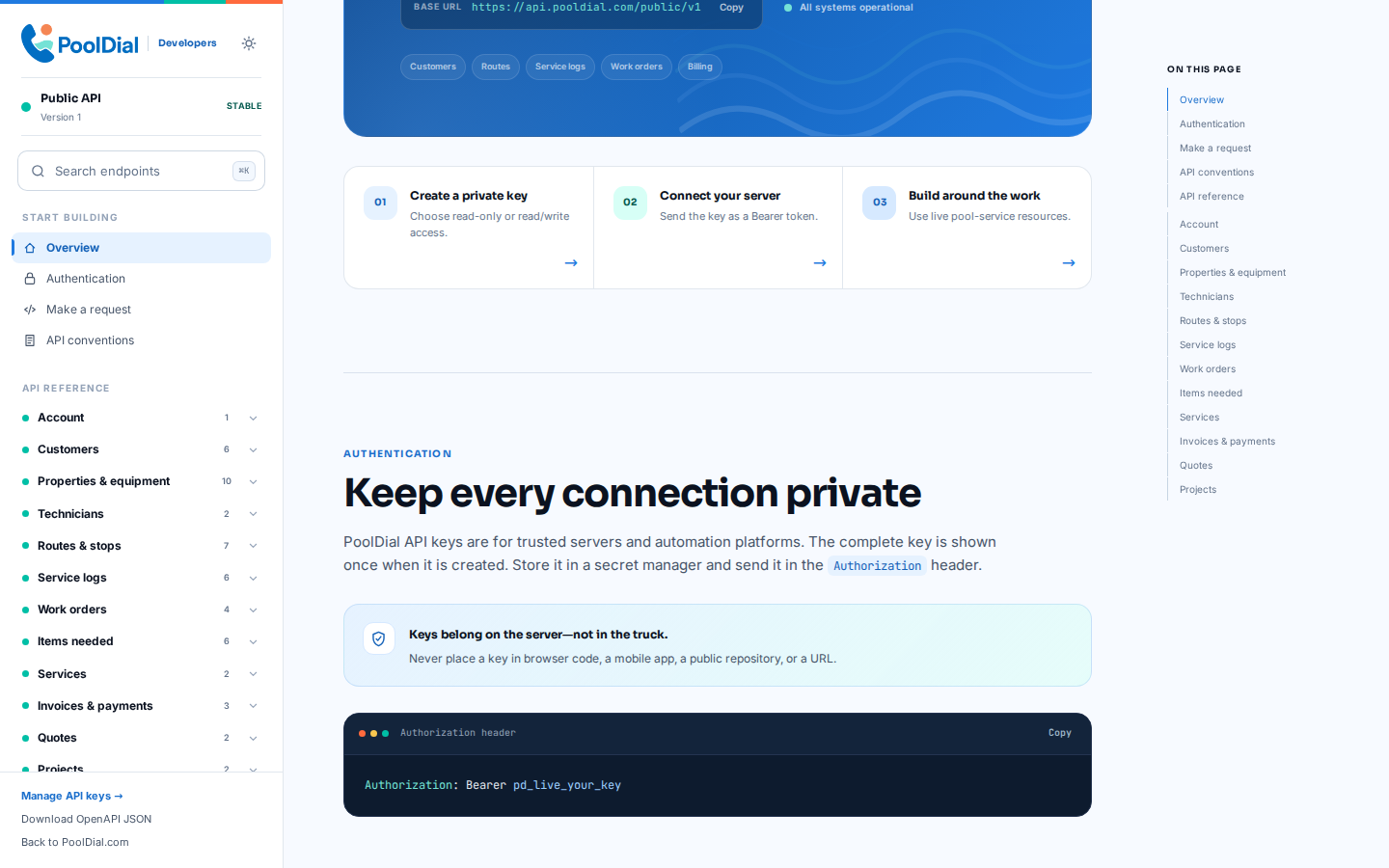
Explore the Live API Contract
Inspect versioned endpoints for customers, routes, service records, work orders, and billing. The reference covers cursor pagination for lists and idempotency support for POST requests.
Open the API docs →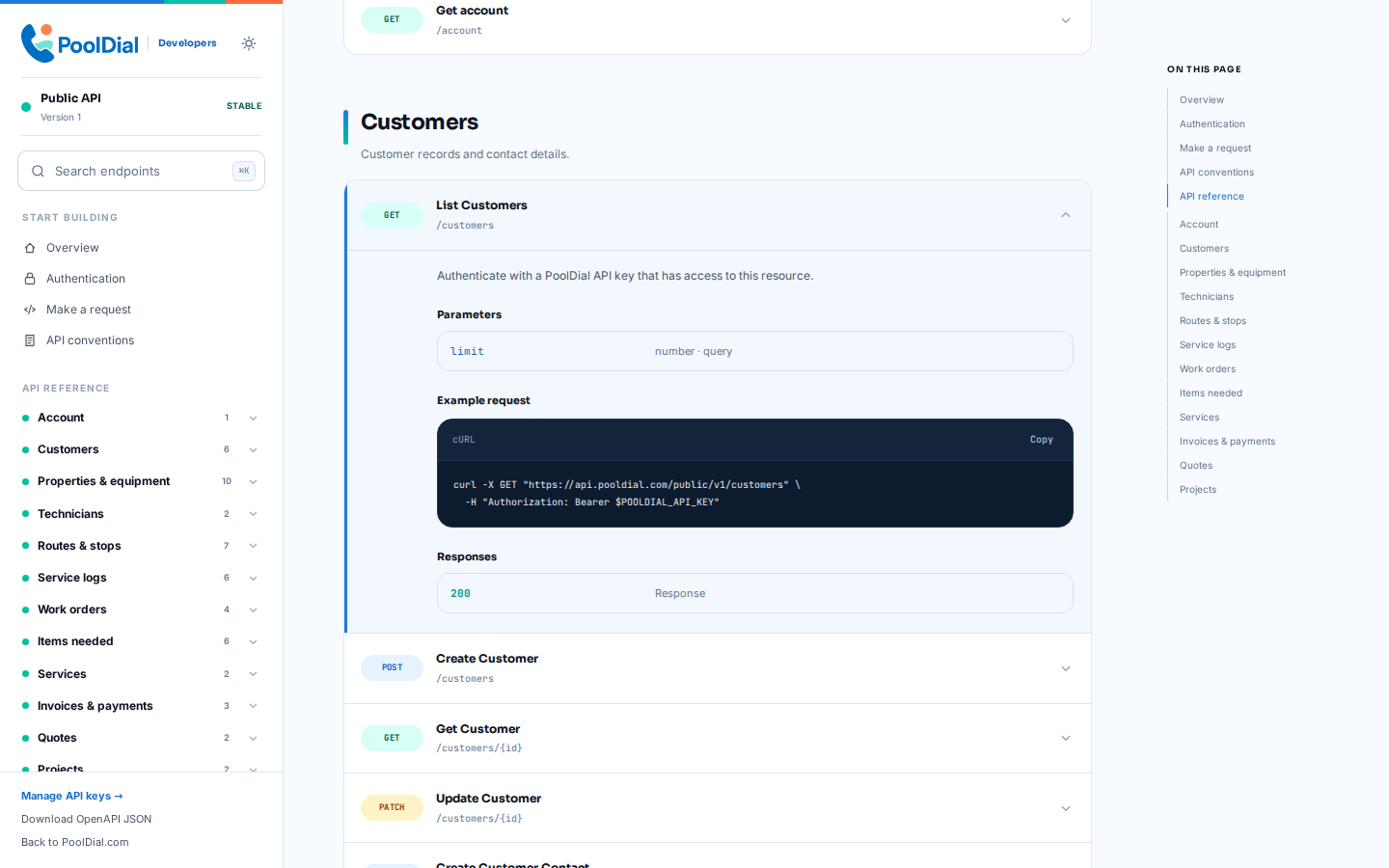
See It In Action
A quick look at secure key management, access controls, and the versioned API reference
One Request. Useful Business Data.
Predictable JSON responses make it straightforward to build, test, and maintain your integration.
GET /public/v1/customers?limit=2

Authorization: Bearer
pd_live_••••••••••••••••
{
  "data": [
    {
      "id": "cus_8f2a",
      "name": "Avery Rivera",
      "status": "active"
    }
  ],
  "pagination": {
    "hasMore": false,
    "nextCursor": null
  }
}
From Key to First Request
Owners and admins stay in control from the PoolDial dashboard
Create an API Key
Open Settings → Developer, name the integration, and choose read-only or read/write access.
Store It Securely
Copy the key when it appears and keep it in your server's secret manager. The complete key is never shown again.
Build Against the Docs
Use the interactive reference and OpenAPI document to make versioned requests, then revoke the key whenever access is no longer needed.
PoolDial API Questions
The practical details before you connect another system
Is the PoolDial API secure?
API keys are shown once, stored as hashes, and can be limited to read-only access, given an expiration date, or revoked at any time. They are for server-to-server use and should never be placed in browser or mobile app code.
What data can I access through the API?
The API covers approved account, customer, property, equipment, technician, route-stop, service-log, work-order, items-needed, service, invoice, payment-read, quote, and project data. See the interactive documentation for the current endpoints.
Can I connect PoolDial to ChatGPT or Claude?
Yes, through a server-side integration you control. The REST API can provide approved PoolDial data and actions to an AI workflow. Native one-click ChatGPT, Claude, and MCP connectors are not included yet.
Does the API replace Cody?
No. Cody remains PoolDial's built-in assistant in the dashboard and mobile app. The API is for external systems and custom integrations; both use the same PoolDial business data.
Can an API key change data?
Read/write keys can perform approved operational actions. High-risk actions such as refunds, subscription management, customer deletion, outbound communications, and invoice or payment mutations are not exposed.
How often will I need to update my integration?
The v1 contract is additive: existing fields and endpoints will not be renamed or removed inside v1. You can adopt new optional fields and endpoints when they are useful to you rather than rebuilding whenever PoolDial ships a product update.
From your first customer to your first crew
Make PoolDial Fit Your Business
Start a free trial and explore your workflow. Book a demo if you’d like to walk through it with us.