
Broadcast Messaging
Keep Customers Informed When Plans Change
Send an email update about weather delays, schedule changes, or holiday hours to the customers who need it. Keep communication organized as your customer list grows.


Trusted by customers around the world
Trusted By


As Featured On



Broadcasts Overview
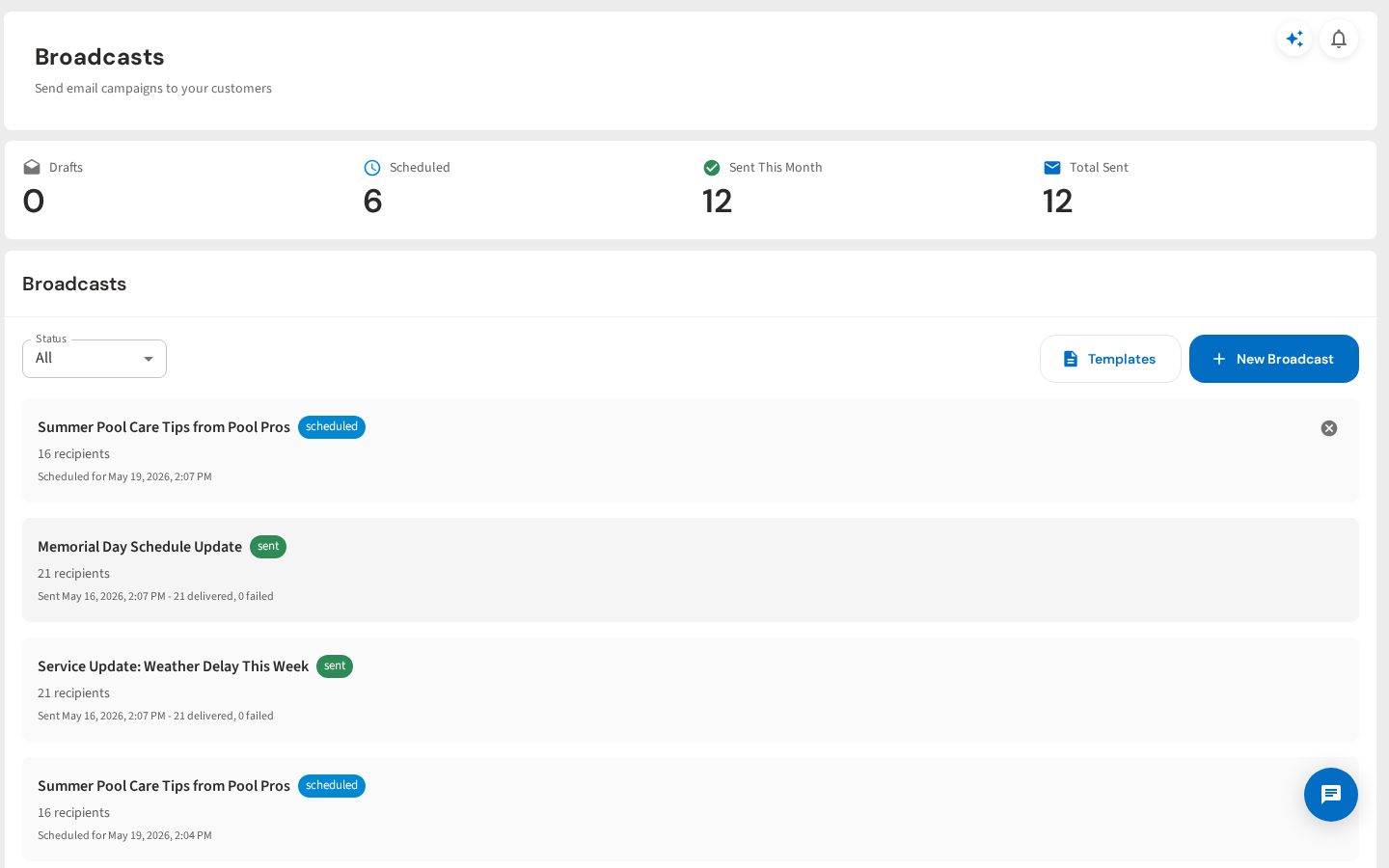
See every broadcast at a glance — drafts, scheduled, and sent. Stats across the top show your activity this month. Filter by status to find exactly what you need.
Compose a Broadcast
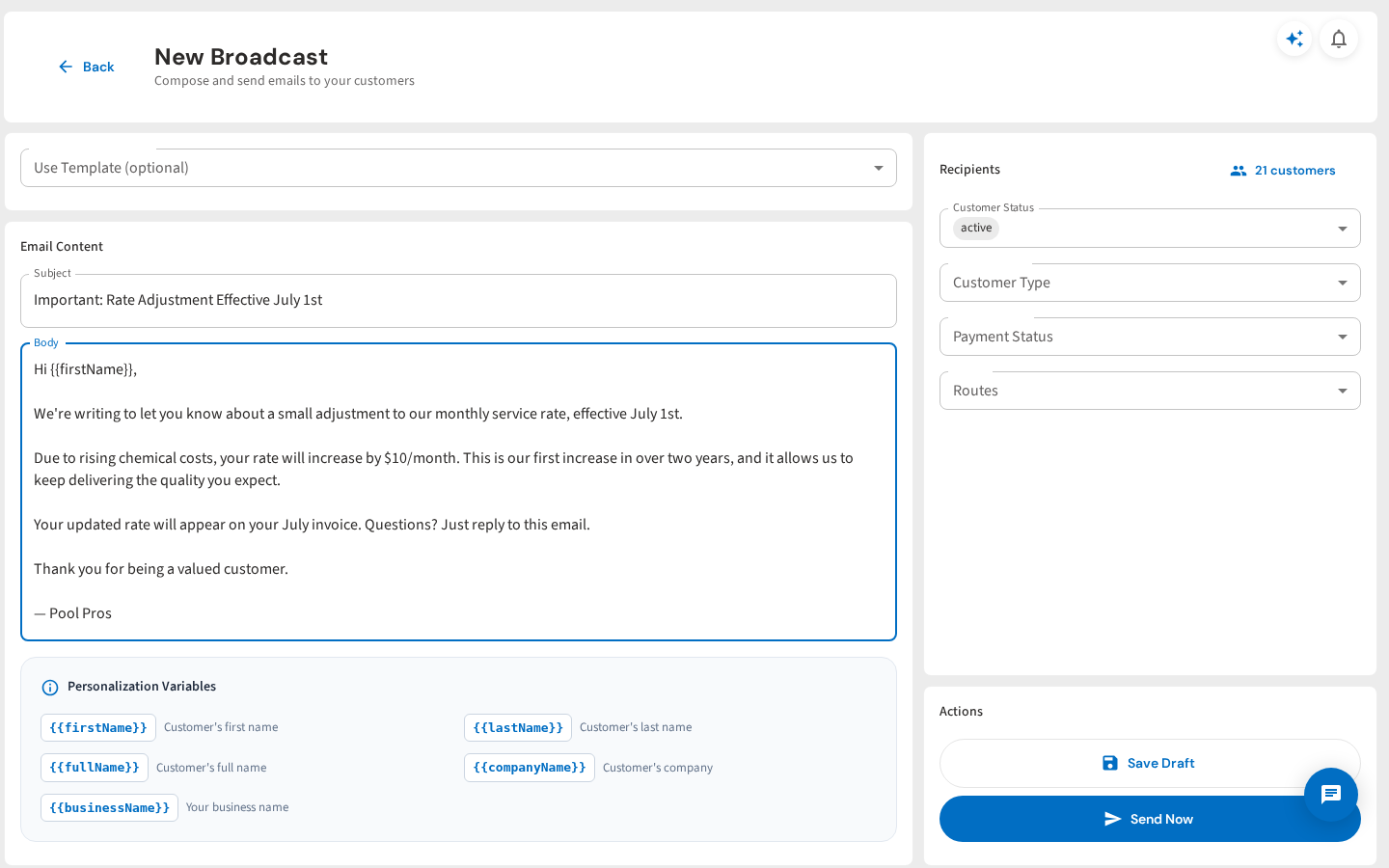
Write your message, pick your audience. Filter recipients by customer status, type, payment status, or route. Merge tags like {{firstName}} personalize every email automatically.
Email Templates
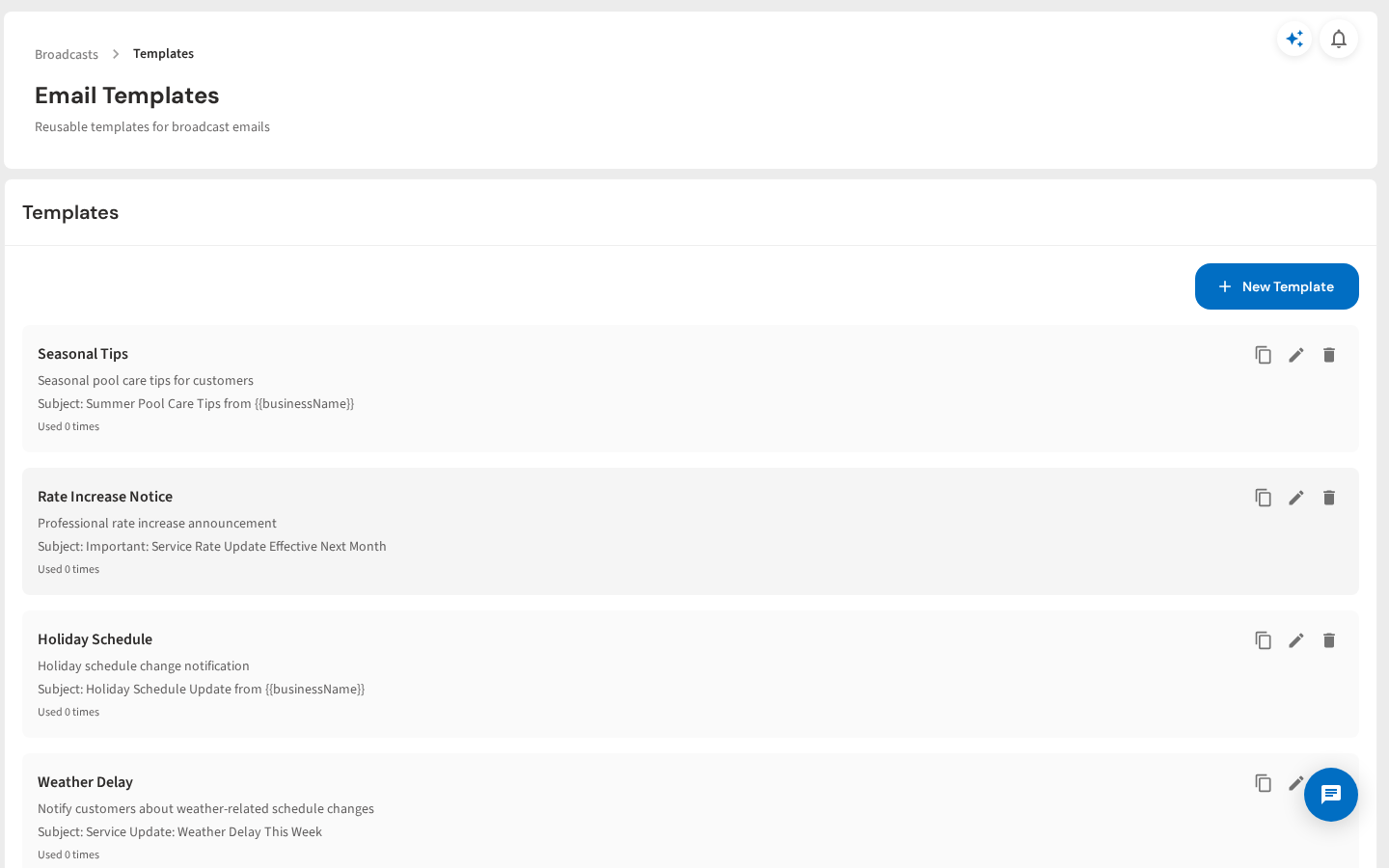
Save templates for messages you send every season. Weather delays, holiday schedules, rate increases, seasonal tips — one click and the message is ready to customize and send.
Delivery Tracking
Every broadcast tracked down to the individual recipient. See who received it, delivery status, and timestamps. Know your message landed — no guesswork.
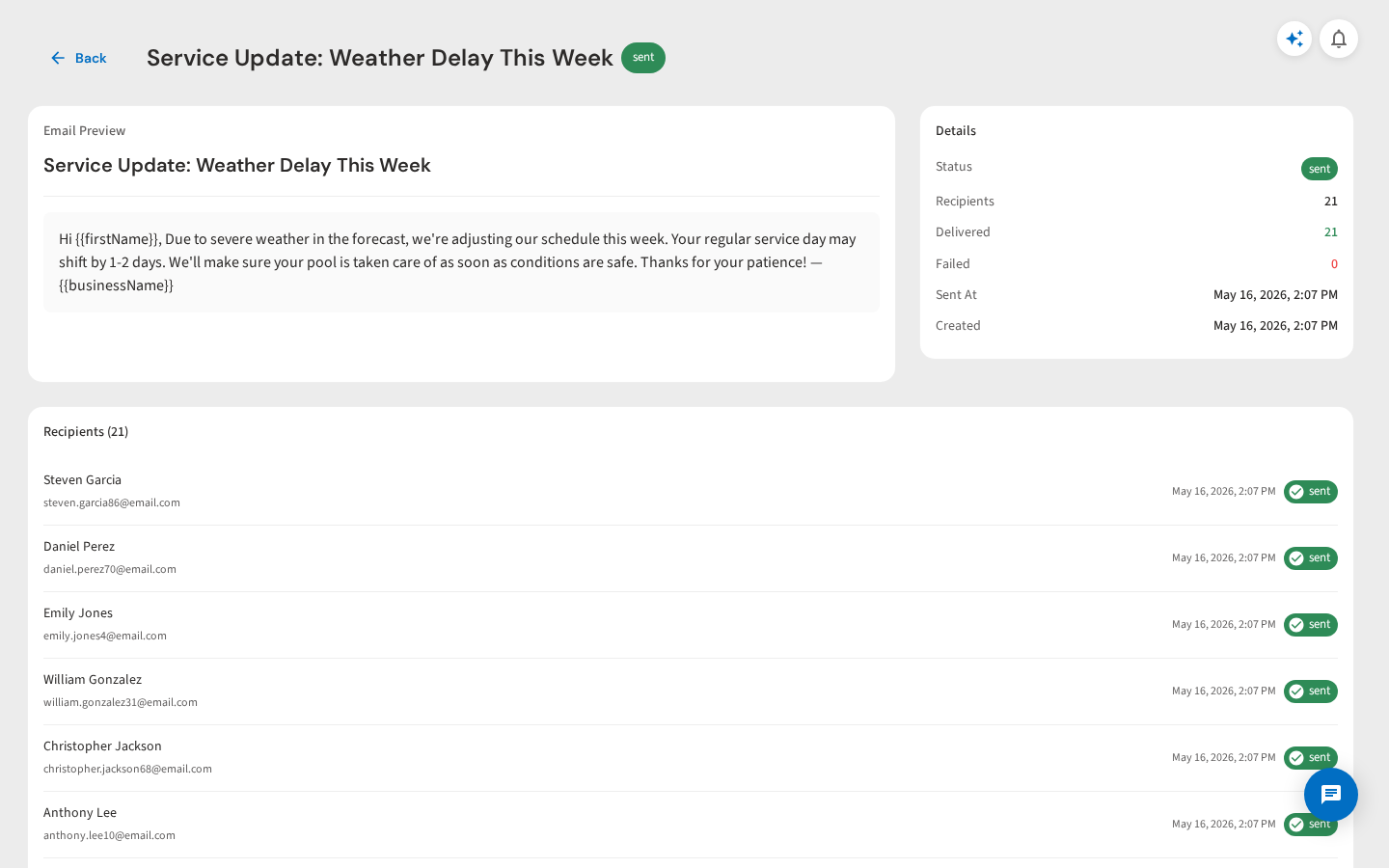
Schedule Ahead
Write messages now, send them later. Schedule holiday announcements, seasonal reminders, or rate change notices for the exact date you choose. Cancel anytime before it sends.
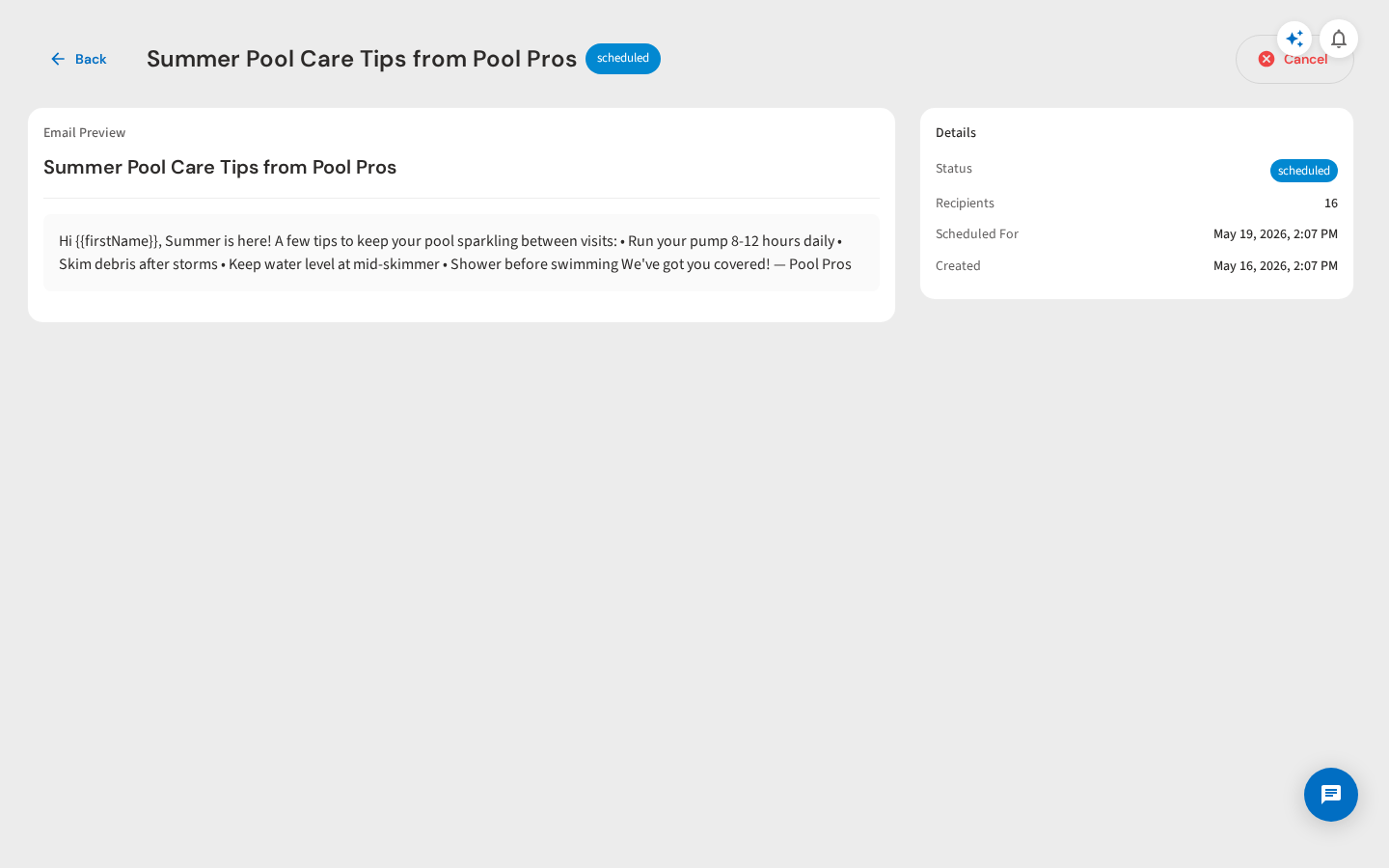
Filter by Status
Filter your broadcast history by drafts, scheduled, sent, or failed. Always know where every message stands and follow up on anything that needs attention.
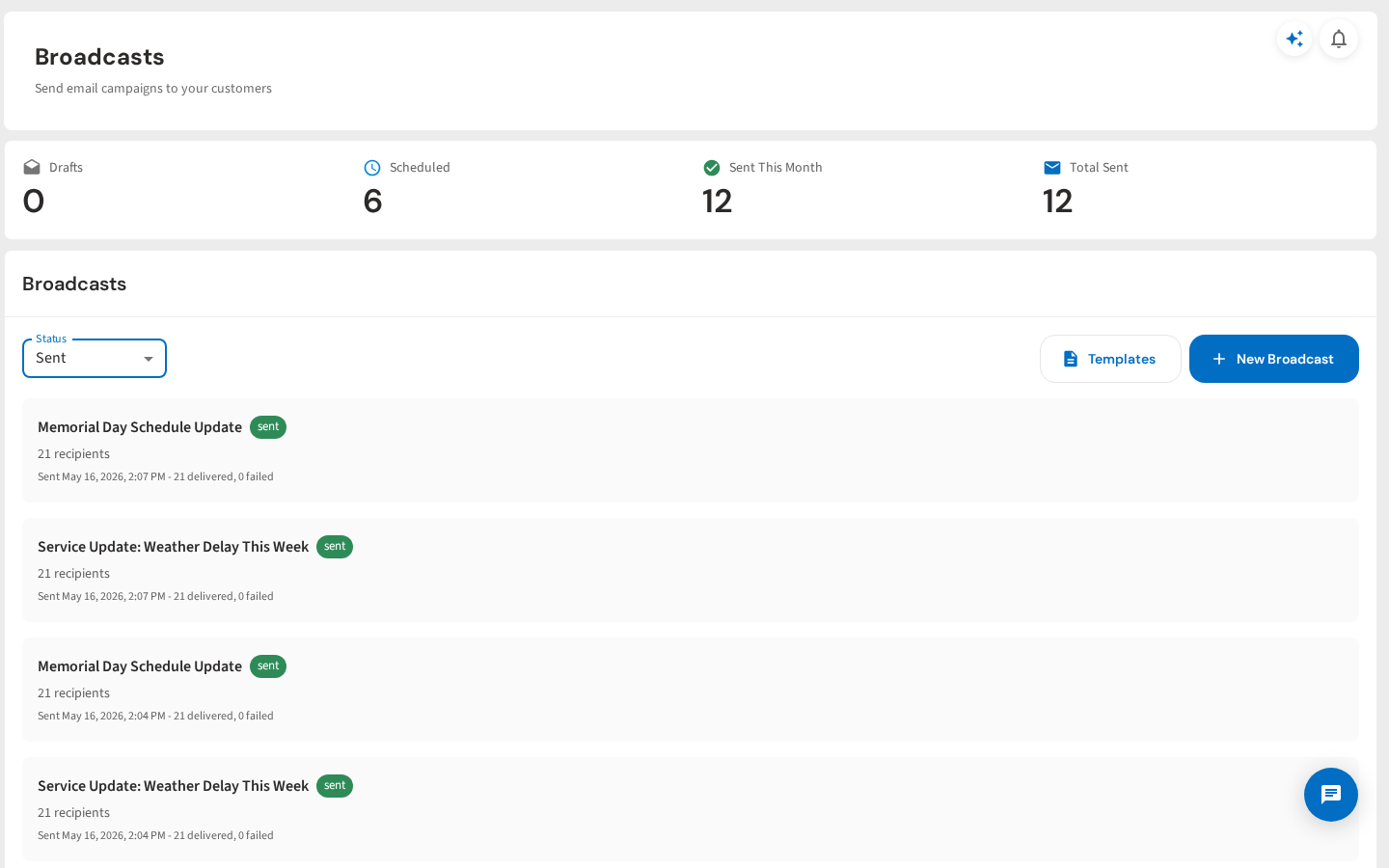
See It In Action
Compose, send, and track broadcast emails to all your customers
From your first customer to your first crew
Keep Your Next Update Simple
Start a free trial and explore your workflow. Book a demo if you’d like to walk through it with us.